What a Smart Garage Door Opener Actually Is
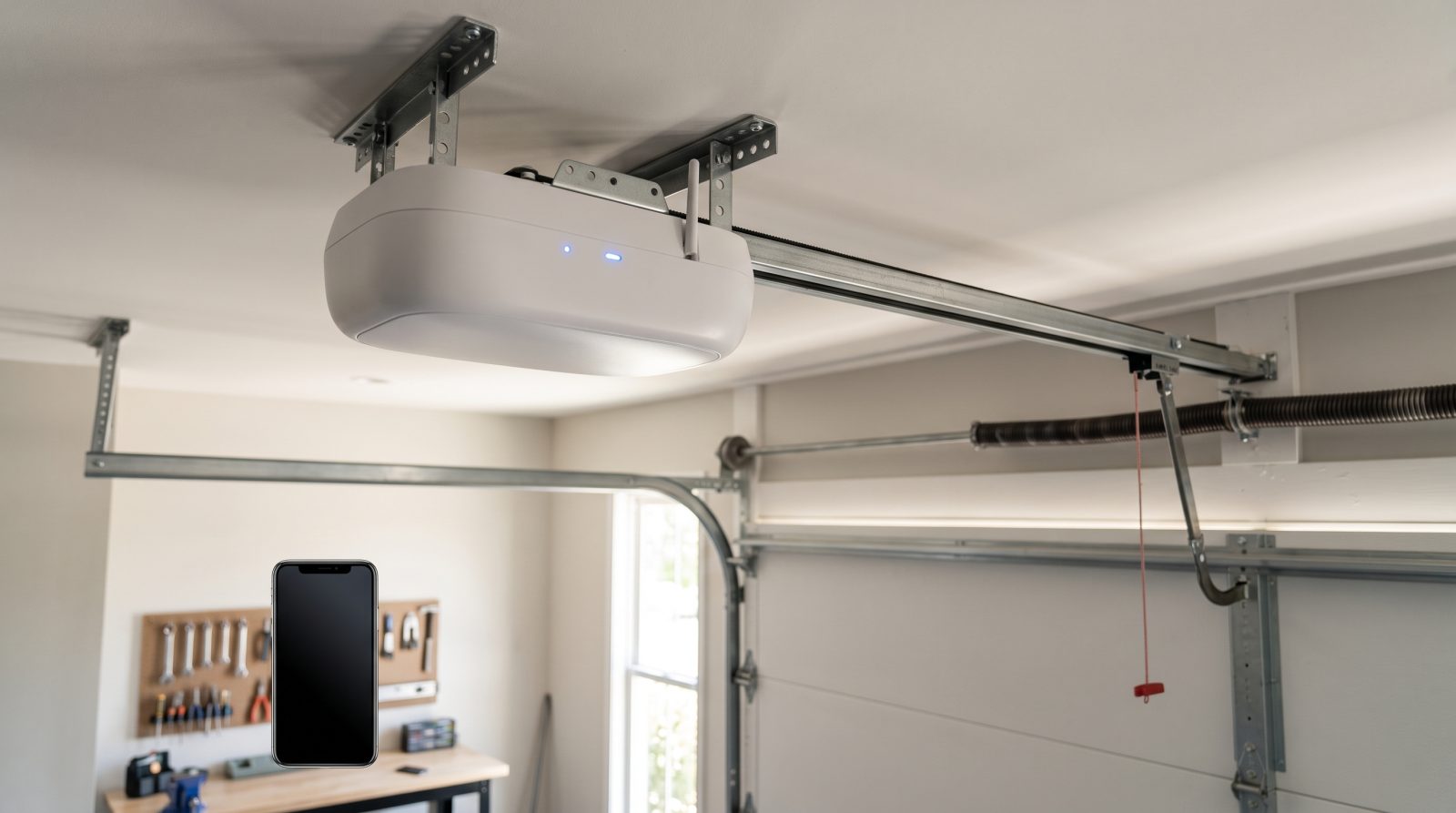
A smart garage door opener is, at its core, a normal opener with a network connection added. The motor still lifts the door the same way - what changes is that the unit can talk to your home WiFi and, through it, to an app on your phone. That connection is what gives you remote open and close, a live status of whether the door is up or down, and push notifications when the door moves. Everything else - the motor type, the rail, the safety sensors - works exactly like a traditional opener.
There are two ways to get there. The first is a brand-new opener with WiFi built in, sold by manufacturers like Chamberlain, LiftMaster, Genie, and others, often using the MyQ or a similar app ecosystem. The second is an add-on smart controller - a small device that wires into the terminals of your existing opener and reads a sensor on the door to report position. The add-on route is popular because it can make a perfectly good older opener 'smart' for a fraction of the cost of replacing the whole unit, as long as your existing opener is compatible.
It helps to separate three features people lump together: connectivity (can it reach your phone), control (can you operate it remotely), and automation (can it act on rules or work with voice assistants and other smart-home gear). A basic WiFi opener gives you the first two. Whether you get the third depends on the brand's app, what assistants it supports, and whether the manufacturer locks certain features behind a subscription - something worth asking about before you buy.
- Connectivity: the opener joins your home WiFi so it can be reached remotely
- Control: open, close, and check door status from a phone app anywhere with signal
- Awareness: push alerts when the door opens, closes, or is left open too long
- Two paths in: a new WiFi-equipped opener, or an add-on controller for your current motor
- Smart-home extras (voice, routines, delivery access) vary by brand and may require an account or subscription
WiFi Opener vs Add-On Smart Controller: Which Fits Your Setup
If your current opener is reliable and only a few years old, an add-on smart controller is usually the most sensible upgrade. These devices clip near the opener, connect to its wall-button terminals, and use a tilt or contact sensor mounted on the door to know its position. The catch is compatibility: add-on controllers generally work with openers that use a standard wall button, and they may not pair cleanly with very old units or with certain security-rolling-code models. A quick look at your opener's make, model, and logic board tells us whether an add-on will work or whether a new unit is the better call.
A full WiFi opener replacement makes more sense when your existing motor is aging, noisy, or already giving you trouble - grinding chain drives, a unit that struggles in the heat, or one old enough that parts are hard to find. Newer openers also tend to come with quieter belt drives, battery backup so the door still works during a Sacramento summer grid event or PG&E outage, and brighter LED lighting. If you are replacing the opener anyway, getting WiFi built in costs little extra compared to buying a separate add-on later.
There is also the question of where your garage sits. Sacramento has plenty of homes with detached garages, alley-access garages in older neighborhoods like East Sacramento and Land Park, and ADUs or converted spaces out back. WiFi from a router in the house may not reach a detached structure reliably. In those cases the smart opener is only as good as the signal it gets, and a mesh node, a WiFi extender, or a wired access point in the garage often matters more than which opener brand you pick. We assess signal at the door during the visit so you are not stuck with an opener that drops offline every afternoon.
- Add-on controller: keep your working opener, add app control for less money (compatibility permitting)
- Full WiFi opener: best when the motor is old, loud, or unreliable - and adds battery backup and quieter drive
- Detached or alley garages common in East Sac and Land Park may need a WiFi extender or mesh node to stay connected
- Very old or specialty openers may not support add-on controllers - we verify the model on-site
- Belt-drive WiFi units run quieter, which matters for garages under or beside bedrooms
Security and Privacy: What to Know Before You Connect Your Door
A door you can open from anywhere is, by definition, a door that is on the internet - so security deserves real thought, not a shrug. The good news is that reputable smart openers use encrypted connections and rolling codes that change with each use, which makes the old trick of capturing and replaying a remote signal far harder. The practical risks are more mundane: a weak password on the app account, a phone that stays logged in and then gets lost, or a shared login handed out to too many people. Treat the opener app like online banking - strong unique password, and two-factor authentication if the brand offers it.
Notifications are a quiet security feature that gets overlooked. An alert that says the door has been open for fifteen minutes is how you catch a teenager who forgot, a roommate who left, or a door that bounced back up on a worn sensor. Set the 'left open' reminder, and set movement alerts if you want to know any time the door operates. For families, look for the ability to create separate user profiles rather than sharing one login, so you can see who opened the door and revoke access cleanly when someone moves out.
Two features sound great in ads and deserve a closer look. The first is in-garage delivery, where a courier gets temporary access to drop a package inside - convenient, but understand exactly how access is granted and logged before enabling it. The second is voice control through a smart speaker; for safety, most systems require a spoken PIN or a confirmation to close or open the door by voice, and you generally should not bypass that. None of this is a reason to avoid a smart opener - it is a reason to set it up deliberately, which we walk through with you at the end of an install.
- Use a strong, unique app password and enable two-factor authentication if available
- Turn on 'door left open' and movement alerts - they catch mistakes and intrusions early
- Prefer separate user profiles over a shared login so access can be tracked and revoked
- Vet in-garage delivery and voice-to-open features before enabling; keep PIN confirmation on
- Rolling-code encryption is standard on quality units - avoid no-name openers that skip it
Living With a Smart Opener in the Sacramento Climate
Sacramento garages get hot. Triple-digit afternoons in July and August routinely push an unconditioned garage well past the outdoor temperature, and that heat is hard on electronics and on the lubricants inside the opener. Smart openers handle it fine when installed correctly, but heat is a good argument for battery backup (so the door still works if the grid sags during a heat wave) and for keeping the unit's logic board out of direct sun from a west-facing garage window. We position and shield components with the local climate in mind, not a generic install.
Connectivity reliability is the other day-to-day reality. The convenience of a smart opener evaporates if it drops off WiFi every time the router reboots or the signal fades in the heat. During the visit we test the actual signal strength at the opener, not just in the kitchen, and flag whether you would benefit from a mesh point in the garage. We also make sure the door's safety sensors - the photo-eye beams near the floor - are aligned and clean, because pollen and the fine Central Valley dust that settles everywhere will eventually fog them and cause the door to reverse or refuse to close, smart features or not.
Because we are a mobile operation, we bring the assessment, the parts, and the programming to your driveway anywhere in the Sacramento area - from Natomas and North Highlands to Elk Grove, Folsom, Rancho Cordova, Citrus Heights, and the neighborhoods in the city core. There is no showroom to drive to; the opener gets evaluated and set up where it actually lives, with the app installed on your phone and the alerts configured before we leave, so you are not figuring out the setup alone later that night.
- Battery backup keeps the door working during summer heat-wave grid stress and outages
- We test WiFi signal at the opener itself, not just inside the house
- Central Valley dust and pollen fog safety sensors over time - we clean and align them during service
- West-facing garages get intense afternoon sun; we shield and position electronics accordingly
- Mobile service across Natomas, Elk Grove, Folsom, Rancho Cordova, Citrus Heights, and the city core
What to Expect During a Smart Opener Install or Upgrade
A smart opener visit starts with diagnosis, not a sales pitch. We look at your existing opener's age and condition, identify the make and model, and tell you honestly whether an add-on controller will work or whether a replacement is the smarter spend. If the door itself has issues - worn rollers, a spring nearing the end of its life, or sensors that need attention - we point those out too, because no amount of app control fixes a mechanical problem underneath.
On a new WiFi opener install, the work involves removing the old unit, mounting and wiring the new motor and rail, connecting the safety sensors and wall control, and then the part that makes it 'smart' - joining it to your WiFi, installing the app, and configuring your account, alerts, and any users you want to add. For an add-on controller, the mechanical work is lighter: we wire the controller to the opener terminals, mount and pair the door-position sensor, and run the same app and alert setup. Either way you leave with a working app on your phone, not a box of instructions.
On cost: pricing depends on whether you are adding a controller to a working opener or replacing the full unit, the type of opener (chain, belt, or direct drive), and whether the door needs any related repairs. As a general guide, add-on smart controllers fall at the lower end of the range and full WiFi-opener replacements at the higher end, with the door's own condition affecting the total. These are industry ranges, not a quote - the only honest number is one tied to your actual door, which is why the assessment is free. Call or request a free quote and we will come take a look.
- Honest diagnosis first: add-on vs replacement, plus any underlying door issues
- New opener installs include mounting, wiring, sensor alignment, and full app setup
- Add-on installs wire the controller and pair the position sensor to your existing motor
- You leave with the app working and alerts configured, not a manual to figure out alone
- Cost ranges depend on add-on vs full replacement and door condition - the on-site assessment is free